


Pay application: what it is, the AIA G702/G703 cycle, and why it isn't an invoice
A pay application is the packet a contractor submits to get paid for work in place. Here's what's in the AIA G702/G703 packet, how the monthly cycle runs, who submits at each tier, and why every pay app needs a matching lien waiver.
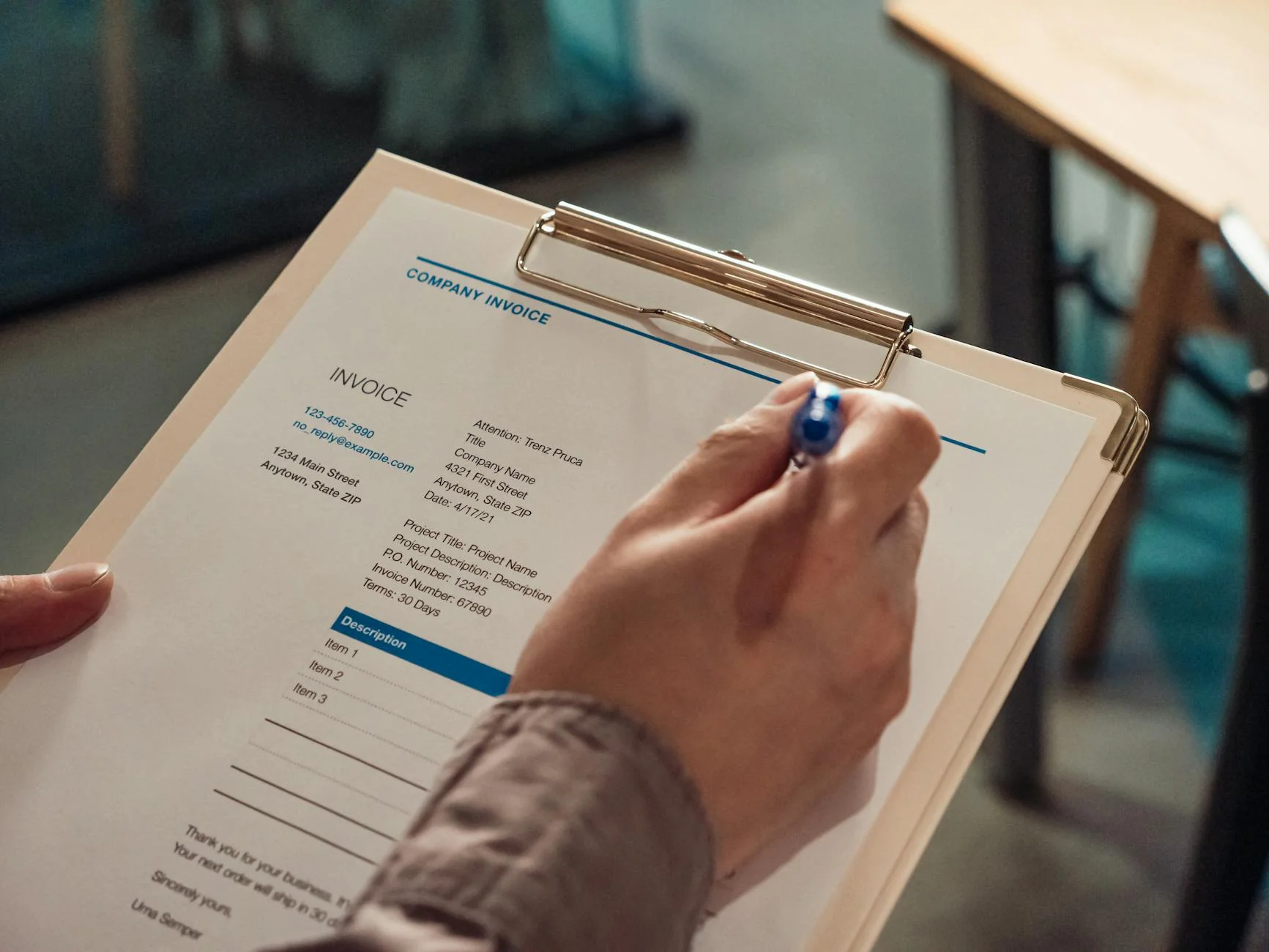
A pay application (pay app for short, sometimes called an application for payment or a draw request) is the packet you send to get paid for work you've already done.
Most contractors will fill out 8 to 12 of them per project, per year. Most of them will be sent back at least once. And every one that ships incomplete sits in the architect's inbox while payroll comes due.
Most of the U.S. industry runs on the AIA G702/G703 format: a one-page cover sheet, a multi-line continuation sheet, and a small stack of supporting documents that prove the work happened. It rides on a monthly cycle. And on most jobs, it doesn't move without a matching lien waiver.
This post walks through what's actually in a pay app, how the cycle works in practice, and why the lien waiver attached to it is the part that most often holds up the check.
What an application for payment actually is
A pay app is not an invoice. An invoice is one number on letterhead. A pay app is a formal request for a draw against the contract, backed by line-item proof of progress.
The AIA (American Institute of Architects) publishes the G702 Application and Certificate for Payment and the G703 Continuation Sheet. Together they're the most common pay-app format on private commercial work in the United States. Public jobs use state-specific equivalents that map to the same fields.
A complete pay app for a given billing period usually contains:
- The G702 cover, signed and notarized
- The G703 schedule of values, with percent complete updated for each line
- Any change orders executed during the period
- Conditional progress lien waivers from the prime and (where required) from subs and suppliers
- Backup: certified payrolls, stored-materials photos, supplier invoices, depending on the contract
Every one of those documents has to line up. If G703 totals don't reconcile to G702, or if a change order on G703 isn't backed by a signed change order document, the architect kicks the packet back. That's why pay apps get rejected for paperwork far more often than they get rejected for the work itself.
The G702 cover: one page, ten numbers
G702 is the summary. It's the page the architect or owner certifies and the page that gets paid against.
The numbers that matter on G702:
- Original contract sum — what the contract started at
- Net change by change orders — additive minus deductive change orders to date
- Contract sum to date — line 1 plus line 2
- Total completed and stored to date — comes from column G on G703
- Retainage — usually 5% or 10%, held back from each draw until closeout
- Total earned less retainage — line 4 minus line 5
- Less previous certificates for payment — what's already been paid
- Current payment due — line 6 minus line 7
- Balance to finish, including retainage — line 3 minus line 6
- Change order summary — the additive and deductive totals broken out
If line 4 doesn't match column G on G703, the pay app fails the math check before anyone reads it. This is the single most common reason a pay app bounces.
The G703 schedule of values: where the work actually lives
G703 is the continuation sheet. It's a spreadsheet with a row for every line item in the schedule of values and nine columns that track that line through the life of the job.
The columns, in the order AIA prints them:
- A. Item number
- B. Description of work
- C. Scheduled value (the line's piece of the contract sum)
- D. Work completed from previous applications
- E. Work completed this period
- F. Materials presently stored, not yet installed
- G. Total completed and stored to date (D + E + F)
- H. Percent complete (G / C)
- I. Balance to finish (C − G)
- J. Retainage held against this line
The column C totals must equal the contract sum on G702. If they don't, even by a dollar, the pay app gets sent back. This usually happens when a change order added a line on G703 but didn't update the contract sum on G702, or vice versa.
Most contracts also cap how much you can bill per line. You can't bill 80% complete on a foundation when the architect's site visit shows 40% poured. The schedule of values is the discipline; the percent-complete column is the lie detector.
The pay application cycle (a month in the life of a draw)
The cycle is the same on most commercial jobs. The contract names the dates; here's what they typically look like.
Days 1–25: work happens. Field crews log progress. The accounting team tracks costs against the schedule of values. Subs and suppliers submit their pay apps to the prime, usually due five to seven days before the prime's submission to the owner.
Day 25: cutoff. The contract names a billing-period end date. Anything completed after this rolls into next month's pay app.
Days 26–30: the prime assembles the packet. G703 gets updated. Change orders are reconciled. Subs' pay apps get folded in. Lien waivers get collected from each sub and supplier whose work is on this draw. Conditional progress waivers ride with this packet; unconditional waivers from the previous period (now that those checks have cleared) get attached as proof.
Day 1 of the next month: the packet ships. Most contracts require submission by the 1st or 5th. The owner's representative (usually the architect on AIA jobs) reviews G702, G703, the change orders, and the waivers. They certify a payment amount, which can be less than the requested amount if a line is overbilled.
Days 30–60 from submission: payment lands. Standard contracts pay 30 days net, though federal Prompt Payment terms and most state prompt-pay statutes require faster turns on government work. For the full breakdown of how Net 30 stretches into 83-day reality, see typical payment terms for contractors. Late-paying owners are a separate problem; that's what mechanic's lien rights exist to deter.
The whole loop runs again the next month. On a 12-month job, you'll send 12 pay apps and 12 sets of waivers.
Who submits a pay app: the prime, the sub, and the sub-sub
A pay app isn't a single document. It's a stack that travels up the contracting chain.
The sub-sub. Lower-tier subs submit a pay app to their direct subcontractor. Smaller packets, shorter SOVs, but the same logic: percent complete by line, change orders, conditional waiver attached.
The sub. The sub aggregates its own pay app plus any sub-sub pay apps and submits to the prime. Most subs use a simplified form (often the prime's template) rather than full AIA. The waiver from the sub covers the sub's own work; sub-sub waivers ride underneath.
The prime. The prime assembles its pay app to the owner, rolling up every sub's pay app into the line items on the SOV. The prime's waiver covers the prime; sub waivers and sub-sub waivers are attached as supporting documentation.
The owner. Reviews, certifies, pays. The check goes to the prime. The prime distributes downstream. Each tier expects to be paid within a few days of the tier above getting paid. Most state prompt-pay statutes require it.
If a sub-sub doesn't get paid, the chain backs up. That's why lien rights exist at every tier, and why every tier signs waivers as proof of payment release.
Why every pay app needs a lien waiver
This is the part most pay-app guides skim and most contractors get burned on.
A lien waiver is the document where a claimant (a sub, supplier, or prime) releases their lien rights against the project in exchange for payment. There are four flavors: conditional and unconditional lien waivers, each in a progress and a final version. The conditional waiver only releases lien rights if the payment actually clears. The unconditional version releases them the moment it's signed.
For a pay app, the rule is:
- Conditional progress waiver rides along with the pay app, for the amount being requested
- Unconditional progress waiver comes after the payment for that period clears, as proof the lien rights for those funds are released
Skip step one and the owner has no proof you'll release lien rights when paid. Skip step two and there's no audit trail showing the lien rights actually got released. Either gap is a problem at closeout, especially on bonded jobs where the surety wants a clean waiver file before releasing the bond.
If you're a GC, you collect waivers from every sub on every pay app. If you're a sub, you sign one and hand it up. The math: a 50-sub job with 12 monthly pay apps is 600 waivers a year. That's why the manual email-chase model breaks once you cross 20 active subs, and why our subcontractor payment software and pay app software exist — to attach the right waiver to the right pay app and stop the chase.
Common pay-app mistakes that delay payment
Five things that bounce pay apps in practice. None of them are about the work.
- G703 column totals don't reconcile to G702. Almost always a change order that landed on one form and not the other.
- Missing waivers. A pay app without conditional waivers from the subs being billed on it is incomplete. The architect can't certify it.
- Overbilled lines. Billing 90% on a line when the site walk shows 60% gets the line cut and the pay app sent back for revision.
- Untracked change orders. A change order discussed at a meeting but not executed in writing isn't billable. The owner won't pay against a verbal.
- Stored materials with no proof. Column F on G703 ("materials presently stored") usually requires photos, supplier invoices, and proof the materials are insured and on-site. Skip the proof, the line gets cut.
The pattern across all five: pay apps fail on documentation, not on the underlying work. The work is real. The packet is incomplete.
For the lien waiver portion specifically, how to send a lien waiver in two minutes walks through the day-to-day flow with subs.
Where pay apps tie into closeout
The last pay app is the closeout pay app. It bills the final percentage on every line and releases retainage that was held back through the job.
To get this one paid, you usually need:
- A signed final G702/G703 with retainage zeroed out
- An unconditional final lien waiver from every claimant on the job (you, your subs, their sub-tier subs, suppliers above a contract-value threshold)
- Notice of completion filed (state-specific timing: see what is GC pay for how the data flows through pay-app software at this stage)
- Closeout documents: O&M manuals, warranties, as-builts, attic stock
The closeout pay app is where bad waiver hygiene from earlier in the job catches up with you. If the unconditional waivers from month three never got collected, the final draw sits in limbo until they do. On a $5M job with 5% retainage, that's $250K stuck because someone didn't chase a sub for a one-page form.
Why the format matters less than the discipline
Construction is full of pay-app formats. AIA G702/G703. ConsensusDocs 292. State public-works forms. Owner-specific templates. Excel sheets built by accounting in 2012 and never updated.
The format doesn't make the difference. The discipline does. A well-run pay app on a hand-built Excel sheet beats a sloppy AIA packet every time. The discipline that matters:
- The cover sheet math reconciles to the SOV math, every period
- Change orders are executed in writing before they hit the SOV
- Conditional waivers go out with every pay app, no exceptions
- Unconditional waivers come back as soon as the check clears
- Backup documentation matches the contract requirements, line by line
Get those five right and the format is a stylistic choice. Get them wrong and the prettiest AIA packet in the world still sits in the architect's inbox.
What this looks like in software
The vast majority of mid-market GCs still run pay apps in Excel and waivers in email. It works until it doesn't. The break point is usually around 20–30 active subs across a few projects. The spreadsheet stops being the source of truth and the waivers stop being trackable.
Software for this category splits roughly in two:
- Heavyweight pay-app platforms — GCPay, Textura, Procore Pay, Siteline. They handle the full G702/G703 generation, sub onboarding, and waiver collection. Built for enterprise. Implementation usually runs months and seat licenses are four to five figures. For the trade-offs between the seven options most mid-market GCs evaluate, the ranked pay-app platforms post compares them by sub-friendliness and price.
- Lightweight waiver layers — what LienDone is. We don't generate G702/G703 (your existing accounting or pay-app system already does that). We're the lien waiver layer that attaches to whatever pay-app workflow you already have. Pick the project, pick the sub, pick the waiver, send a link. Sub signs in two minutes. Signed PDF lands in your dashboard.
If you already have pay-app software you like, you don't need to replace it. You need to fix the waiver chase. That's the whole loop. Send the link, attach the signed PDF to the pay app, ship the packet, get paid.
The takeaway
A construction application for payment is the AIA G702 cover, the G703 schedule of values, the change orders, and the lien waivers — all on a monthly cycle that has to reconcile to the dollar.
The work isn't usually what gets a pay app rejected. The math, the missing change orders, and the missing waivers are. Get the packet right, attach a conditional waiver to every requested amount, and get the unconditional waiver back when the check clears. Repeat 12 times.
Pay apps are paperwork in service of cash flow. Tight paperwork pays. Loose paperwork sits in the architect's inbox.
FAQ
What is a pay application?
A formal request for payment for work completed and materials delivered during a billing period. Most U.S. contracts use the AIA G702 cover and G703 schedule of values, plus change orders and a conditional lien waiver for the requested amount.
What is the difference between a pay application and an invoice?
An invoice is a single number on letterhead. A pay application is a packet: the cover sheet, line-item schedule of values, change orders, lien waivers, and backup documentation that proves the underlying work.
Who submits a pay application?
Every contractor owed money for work on the job. Sub-subs submit to subs, subs submit to the prime, the prime submits to the owner. Each tier rolls up into the next.
What's the difference between AIA G702 and G703?
G702 is the one-page cover that summarizes the contract sum, work completed, retainage, prior payments, and current payment due. G703 is the continuation sheet that breaks down the schedule of values per line item with percent complete and balance to finish.
How often do contractors submit pay apps?
Monthly, on most commercial jobs. The contract names a cutoff date and a submission date; payment lands 15–45 days later.
Does every pay application need a lien waiver?
On almost every commercial job, yes. A conditional progress waiver rides along with the pay app, and an unconditional progress waiver follows once the check clears.
What is a schedule of values in construction?
A line-item list of every piece of work on the job, each with a contract value. The totals must equal the contract sum. G703 tracks percent complete against it each pay period.
What happens if a pay app is short documentation?
The architect or owner sends it back. Missing waivers, math errors on G703, untracked change orders, and unproven stored materials are the four most common reasons pay apps get bounced.
Frequently asked questions
A pay application is a formal request for payment a contractor submits to an owner or general contractor for work completed during a billing period. Unlike an invoice, it includes proof of progress, a schedule of values, executed change orders, and lien waivers from the parties being paid. Most U.S. contracts use the AIA G702 cover and G703 schedule of values.


Related tools and guides
Send your next waiver in two minutes.
Pick the project, pick the sub, hit send. The signed PDF lands in your dashboard.
Get startedSee pricing